Waveshare ESP32-S3-A7670E-4G + 4G + HX711
This configuration uses the Waveshare ESP32-S3-A7670E-4G board with its A7670E modem to send measurements directly over the cellular network.
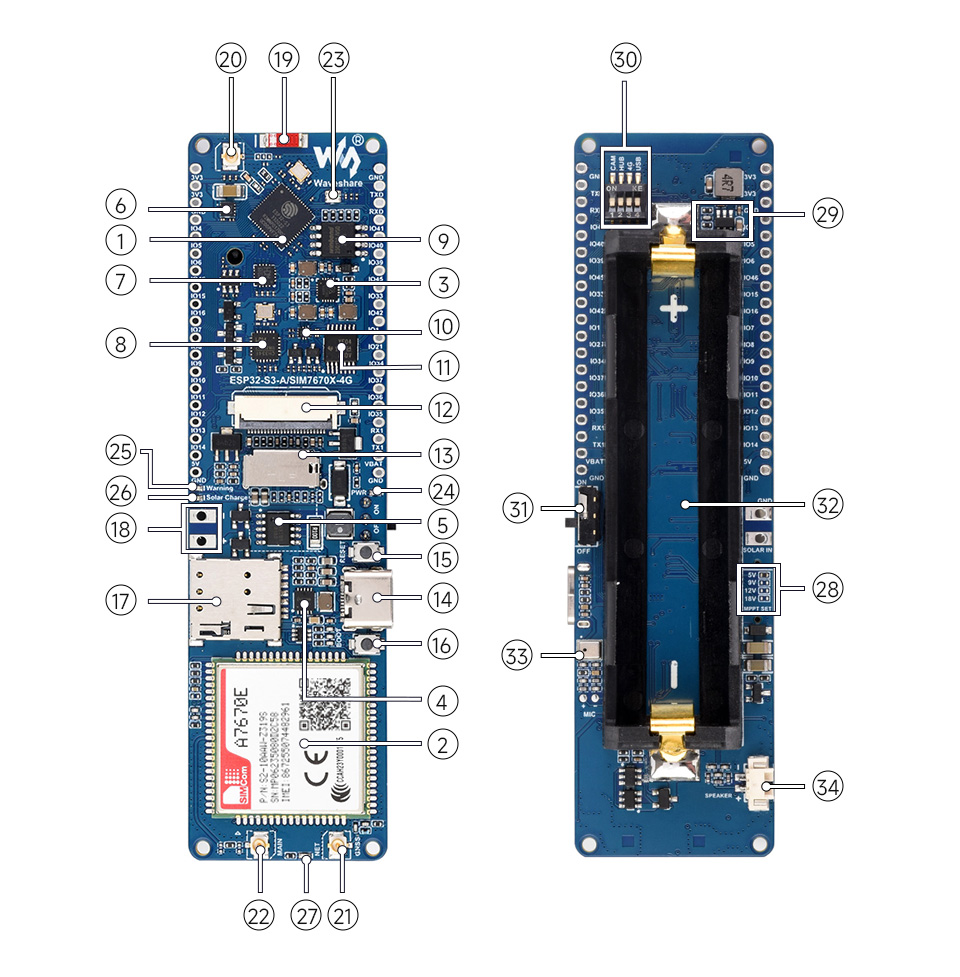
Image source: Waveshare.
Who Is It For?
Choose this configuration if the apiary has no reliable WiFi and you want a scale able to send measurements without a local gateway.
It needs more preparation than a WiFi configuration: SIM card, network coverage, power sized for the modem, and in rare cases, the SIM APN.
What the Board Provides
The waveshare_esp32_s3_a7670e_4g_hx711 firmware preset expects:
- an ESP32-S3;
- a SIMCom A7670E modem used by the cellular transport;
- a board designed with battery and solar charging in mind;
- a WS2812 RGB LED on
GPIO38; - the
BOOTbutton as the configuration button; - a MAX17048 battery sensor when detected.
What You Need to Add
- a weighing module for the expected weight range, made of a load cell and an HX711;
- a SIM card compatible with coverage at the apiary;
- a suitable cellular antenna;
- battery, solar panel, and enclosure for your installation.
Wiring
The Waveshare firmware uses dedicated HX711 pins:
| HX711 signal | Waveshare pin |
|---|---|
DT / DOUT | GPIO39 |
SCK / CLK | GPIO40 |
See the shared reference: HX711 wiring.
Firmware
Build and upload the PlatformIO environment:
pio run -e waveshare_esp32_s3_a7670e_4g_hx711 -t uploadFor a board that should stay in configuration mode while provisioning, the firmware also provides:
pio run -e waveshare_esp32_s3_a7670e_4g_hx711_config -t uploadThis configuration uses:
- the
Hx711Sensorsensor; - the
Max17048BatterySensorbattery sensor, if available on the board; - the
CellularHttpTransporttransport; - the
waveshare_esp32_s3_a7670e_4g_hx711hardware profile.
Runtime Configuration
After flashing, provision the board with bee-config:
- Bee Thing ingestion URL;
- scale token;
- APN, username, password, and SIM PIN when needed;
- HX711 calibration;
- sleep interval.
WiFi credentials are not needed in this configuration.
The first cellular transport only supports an HTTP URL. If you use an HTTPS URL, uploads will not work.
See: Firmware configuration, Calibration, and Diagnostics.
Known Limits
Power use strongly depends on network coverage, cellular attach duration, and measurement interval. Power must therefore be tested on your real installation.